

AP4051DN-S - Huawei Indoor Access Points

- 763 412 7282
- +86 010 69614620
AP4051DN-S Overview
AP4051DN-S Exact Hardware Identity
AP4051DN-S is a physical Huawei AP4051DN-S WLAN access point, not a license, subscription or generic AirEngine 5700 product. Keep the complete model string on the quotation, receiving label, software record and site inventory.
Verified manufacturer context
Huawei's mode-switching overview explicitly lists AP4051DN-S for Fat and cloud conversion in the documented V200 context. Huawei's CloudCampus design documentation also names AP4051DN-S among Fit AP examples.
Operating and topology boundary
Record whether this exact unit will be Fit, Fat or cloud-managed and verify the software path before conversion. Keep the S suffix in every asset, quotation and configuration record.
managed guest-access zone
Separate guest onboarding, guest VLAN transport, Internet policy and administrator access in the deployment worksheet. Confirm who owns the controller or cloud template and who can recover the AP if the management path is unavailable.
Acceptance procedure
Test guest authentication, address assignment, policy isolation, Internet reachability, event visibility and a controlled management outage. Store the mode, template and AP4051DN-S serial as one acceptance record.
VLAN assurance
Confirm tagged and untagged behavior, client addressing, gateway reachability and policy enforcement for every production SSID.
Procurement boundary
Fit, Fat and cloud workflows require a deliberate mode and release decision. Confirm current support eligibility, exact software, mount, power components and accessories from Huawei and the received unit. This page intentionally does not transfer radio, port, power or lifecycle claims from a similarly named model.
Manufacturer evidence: Huawei support search for AP4051DN-S, Huawei technical evidence 1, Huawei technical evidence 2.
AP4051DN-S Specification
| Exact model / SKU | AP4051DN-S |
| Huawei model | AP4051DN-S |
| Product identity | Huawei AP4051DN-S WLAN access point |
| Manufacturer context | AP4051DN-S exact-model documentation |
| Primary deployment review | managed guest-access zone |
| Operating mode | Select and document the exact supported Fit, Fat, cloud or other workflow before staging; do not infer support when it is not documented |
| Wired topology | Record switch, port, VLAN transport, cable test, management path and power source for the installed unit |
| Software | Verify the exact model, target mode, release prerequisites, image source, checksum and rollback package |
| Suffix handling | Fit, Fat and cloud workflows require a deliberate mode and release decision. |
| Accessories | Verify mount, power components and supplied accessories from the exact received unit and authorized quotation |
| Acceptance evidence | Retain serial, software, mode, management owner, SSIDs, VLANs, client tests, survey result and recovery record |
| Support and lifecycle | Recheck current eligibility for the exact model, software and region; no permanent status is inferred |
| Source match | AP4051DN-S: exact Huawei physical WLAN AP; AP4051DN-S exact-model documentation; operating mode and topology are limited to cited Huawei evidence; suffix, software, power, mount, accessories and lifecycle require exact verification |
| Official manufacturer reference | Huawei support search for AP4051DN-S |
AP4051DN-S Warranty
 | Product Quotation |  | Condition and Packaging |
 | Return Eligibility |  | Returns and Replacement |
 | Shipping Arrangements |  | Warranty Terms |
AP4051DN-S FAQ
What is AP4051DN-S?
AP4051DN-S - Huawei Indoor Access Points is a HUAWEI AirEngine 5700 Series Access Points product supplied by YYST Global for enterprise IT procurement and infrastructure projects.
Is AP4051DN-S available from YYST Global?
Contact YYST Global to confirm availability for AP4051DN-S, the required quantity, exact configuration, delivery destination and current lead time before ordering. A product listing does not confirm current inventory.
What is the price of AP4051DN-S?
The current reference price for AP4051DN-S is US$ 291.00. Final pricing can change based on stock, quantity, configuration and delivery destination.
What should buyers verify before ordering AP4051DN-S?
Confirm the exact model suffix, interfaces, power option, software or licenses, included accessories, new factory sealed, warranty and destination requirements before ordering AP4051DN-S.
Related products
Related AP4051DN-S
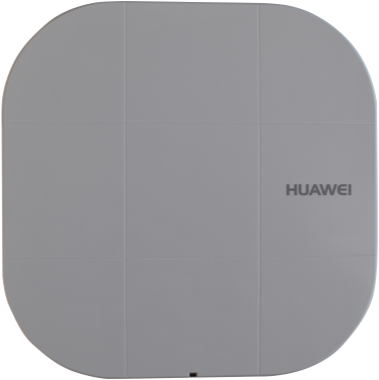
AP4051DN
Huawei AP4051DN is an indoor 802.11ac Wave 2 access point with 2×2 MIMO, two spatial streams and simultaneous 2.4 GHz/5 GHz service. Both GE0/PoE_IN and GE1/PoE_IN are Gigabit Ethernet inputs supporting PoE; Huawei describes dual-port power backup. Its USB2.0 interface supports storage expansion. The exact hardware table lists 12 V DC or IEEE 802.3af/at input and a 12.3 W consumption reference excluding USB output, with actual maximum subject to regional rules.
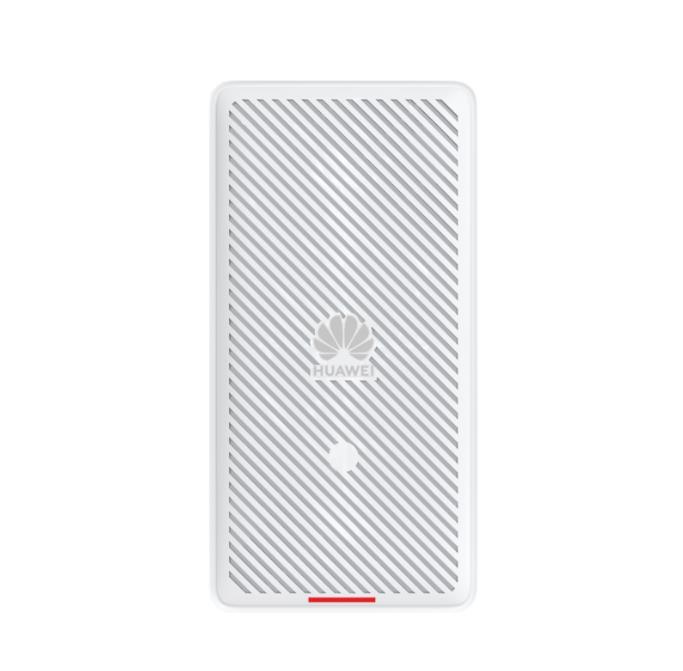
AirEngine 5760-22W Huawei AirEngine 5700 WiFi 6 4x4 MIMO 5GHz AP
Huawei AirEngine 5760-22W combines a 2.5GE copper uplink, four GE downlinks and GE/10GE SFP+. Optical uplink use and PoE input mode change radio capacity and peripheral power availability.

AirEngine 5760-51 Huawei AirEngine 5700 WiFi 6 2+4 Dual-band AP
Huawei AirEngine 5760-51 offers 5GE copper and RTU-dependent Wi-Fi 6 radio layouts. Verify the hardware code, loaded RTU and power mode; 802.3at limits the 5GE uplink to 2.5GE or below.

AirEngine5761R-11-Huawei Outdoor AP for high-density environments
AirEngine 5761R-11 is an AirEngine 5700 outdoor Wi-Fi 6 AP with directional antennas, Gigabit copper and Gigabit SFP. Under 802.3af, only one wired interface is active, with optical priority.

AirEngine 5761S-11-Huawei Wi-Fi 6 (802.11ax) 2×2 MIMO Indoor AP
AirEngine 5761S-11 is a single-Gigabit-port indoor Wi-Fi 6 AP with dual-band 2x2 radios and BLE 5.2. Check PoE mode before using USB; 802.3af imposes feature restrictions.

AirEngine 5761S-11W-Huawei Wi-Fi 6(802.11ax)for High-density scenarios
AirEngine 5761S-11W combines five Gigabit Ethernet ports, a separate RJ-45 pass-through pair and dual-band 2x2 Wi-Fi 6. USB is disabled with 802.3af input; this model has no PoE output.

Huawei AirEngine 5762S-11SW Wi-Fi 6 Wall-Box Access Point
AirEngine 5762S-11SW has one Gigabit Ethernet port and uses up to 11 W from 802.3af PoE. This wall-box Wi-Fi 6 AP includes BLE 5.0 but no second Ethernet socket, USB or PoE output.

AirEngine 5762S-12SW Huawei AirEngine 5700 Indoor Dual-Band Wi-Fi 6 AP
AirEngine 5762S-12SW provides one Gigabit uplink and one downlink in an 86 mm wall plate. Confirm standalone host 50084977 versus a multi-AP kit, and distinguish the 2.975 Gbit/s radio rate from wired throughput.